
Fallen Lineage Codes and How to Redeem Them
Check Fallen Lineage code reports for Reroll Tokens, Lives and Reset Orbs. New reports and disputed entries are marked below so you can distinguish them before trying a code.
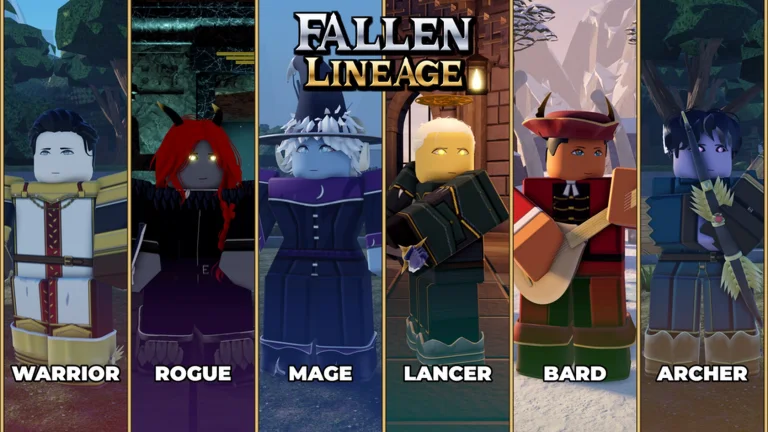
Codes and reported rewards
Sources reviewed November 22, 2026 (Asia/Shanghai). This table contains eight reported strings, not eight confirmed working codes: UPDATE3 and SASE are pending reports, and SOMANYSHUTDOWNS has conflicting status reports. ArcadeWiki has not redeemed any of them in-game. Unknown reward amounts are left unspecified.
| Code | Reported reward |
|---|---|
HEYOO | Reported active by Pro Game Guides; free rewards, exact items unspecified |
UPDATE3 | Pending report — free rewards; exact items and current availability unconfirmed |
SASE | Pending report — free rewards; exact items and current availability unconfirmed |
mybelovedcrits | 3 Reset Orbs |
PARAGUAY | Free rewards; item breakdown differs between sources |
400CCU | 3 Reroll Tokens and 1 Life |
UPDATE2 | 2 Reroll Tokens and 2 Lives |
SOMANYSHUTDOWNS | Disputed status — free rewards, exact items unspecified; some sources report it expired |
What changed in the latest code reports?
Pro Game Guides' November 21 list includes HEYOO alongside the five older strings. UPDATE3 and SASE appear in newer indexed MrGuider results and BloxArchive's pending list, but the directly readable MrGuider page returned an older list during this review. They remain pending here rather than being presented as confirmed additions.
For SOMANYSHUTDOWNS, Pro Game Guides and Destructoid still list it as active, while Pocket Tactics lists it as expired. Follow the actual response on your account.
Requirements before redeeming
Publisher guides report three requirements: play for about 30 minutes, join the official odanos Roblox community and like the experience. Finish the tutorial and reach the castle lobby before looking for the Shop.
If the game displays a remaining requirement, complete that step using the same Roblox account. Repeating a code will not bypass a playtime or community check.
How to redeem Fallen Lineage codes
The reference screenshot places code entry at the top of the Shop. The orange arrows identify the input and the Shop control on the right. Menu placement may change after an update.
- Launch Fallen Lineage and complete the requirements listed above.
- Open Shop using the right-side control.
- Paste one code into the Enter a code field at the top of the window.
- Select Redeem and read the result before entering another code.
- Check the matching currency or item balance after a successful claim.
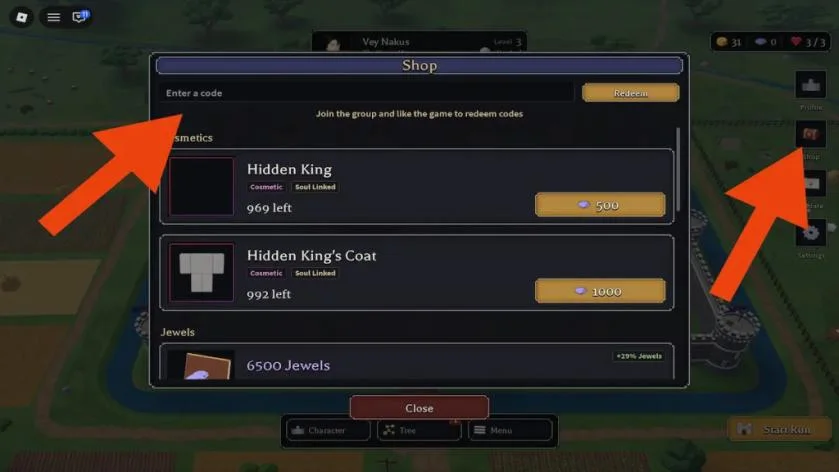
Enter the exact code, not the sample screenshot text
Keep mybelovedcrits lowercase, matching Pro Game Guides and Destructoid. Copy only the code string; omit spaces, quotation marks and labels such as NEW. HEYOO NEW is not treated as a separate promotion here.
The screenshot below contains POCKETTACTICS as an example entry. That text is not a code in our list. The cosmetic prices and stock counts below it are separate Shop offers, not code rewards.
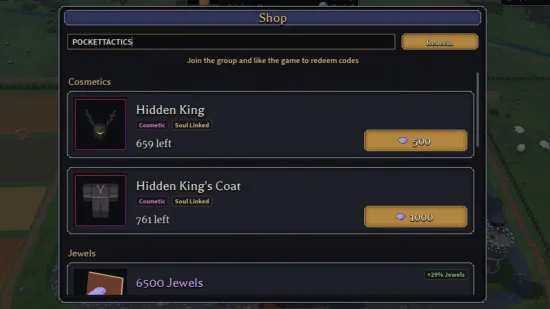
Why some rewards are unspecified
The quantities for mybelovedcrits, 400CCU and UPDATE2 follow the matching Pro Game Guides and Destructoid reports. For HEYOO, UPDATE3 and SASE, the available reports do not establish an item-by-item payout.
Pocket Tactics lists two Reroll Tokens for PARAGUAY, while the other reviewed publisher lists describe its reward generically. We do not turn that discrepancy into a guaranteed amount. Read the game's claim confirmation before planning how to spend it.
Expired-code reports
Destructoid archives UPDATE1, EARLY2 and EARLY as expired. Pro Game Guides also archives UPDATE1 and EARLY2. Older trackers may show conflicting status histories, so these strings are not included in the reported-code table above.
A prior promotion returning is possible, but a newer update name does not prove an old string works again. SOMANYSHUTDOWNS stays marked disputed because current publisher lists disagree.
Troubleshooting a failed claim
Use the message in your game to narrow down the issue. These checks are practical suggestions, not a list of errors reproduced by ArcadeWiki.
| What happened | What to check |
|---|---|
| Redemption is locked | Check playtime, community membership and the game's like requirement. |
| The code is rejected | Compare capitalization and remove extra spaces. Check whether the entry is pending, disputed or retired. |
| Already claimed | Check whether this account used the promotion earlier; do not expect another reward from the same claim. |
| Success but no extra Lives | Read the listed reward. mybelovedcrits reports Reset Orbs rather than Lives. |
| You only see Shop items | Look above the cosmetic offers for the code input and Redeem button. |
After claiming: plan your next run
Check the descriptions of awarded items before using them. If you do not yet know which part of your setup needs changing, keep the items while you learn another encounter. A code reward is more useful when it supports a decision you understand.
These are in-game item reports, not free Robux offers. Use the official experience for redemption and its linked developer channels for subsequent announcements.
Sources and review scope
Reviewed November 22, 2026. Roblox establishes the game's identity and developer; the linked publisher reports supply code strings, reward descriptions and redemption requirements. The review date is not an in-game testing date.
The developer Trello link was reachable only as a page shell during this review. It was not used to confirm code status or item quantities.